
Disposable Email for Spam Prevention: A Practical Guide to Protect Your Inbox
Spam rarely starts with “I gave my email to 50 shady sites.” Most of the time it starts with one perfectly normal action: a quick registration, a free download, a giveaway entry, or a forum signup. Then, weeks later, your inbox slowly fills with unwanted newsletters, promos you never asked for, and sometimes phishing attempts that look surprisingly real.
A disposable email (also called a temporary email, temp mail, or a burner email) gives you a simple layer of protection: you can receive the verification email you need without exposing your primary inbox to long-term marketing lists and data reselling. (It’s the same idea many privacy tools describe as using a “burner” address for one-off signups.)
This guide is a practical, business-friendly explanation of:
- Why spam spikes after “just one” registration
- How disposable email reduces exposure to marketing lists and leaks
- Smart ways to use a temp email inbox for forums, giveaways, and lead forms
- Best practices to stay protected long-term (without breaking your own security)
Note: Disposable email is for privacy and spam reduction. Don’t use it to bypass payments, break terms, or do fraud.
External background: What is a burner email address?
1) Why Spam Spikes After “Just One” Registration
Your email is a “digital identifier”
Email addresses are valuable because they’re stable identifiers—easy to link across different profiles and datasets. Data brokers and leaked databases often treat email as an “anchor” that helps connect your identity to other attributes and behaviors.
The three most common ways your email spreads
- Marketing list sharing or reselling
Some companies share partner lists, use third-party marketing platforms, or end up in list ecosystems you never explicitly agreed to (even if the fine print technically allowed it). - Data breaches and leaks
Even legit businesses get breached. Once an email appears in a leak, it can circulate and get resold repeatedly, which explains why spam sometimes spikes suddenly months after a signup (it’s not always your email provider “getting worse”). reddit discussion - Public posting + scraping
If you put your email in a public forum profile or comment section, it can be scraped. One exposure can be enough for spam to begin.
The “one signup” problem is timing + distribution
You may register today, but the spam arrives later. Why? Because data moves slowly through multiple parties—collection → enrichment → reselling → campaign testing → full sending cycles.
That’s why the best strategy is not “try to unsubscribe from everything later.” It’s reduce exposure upfront—and temporary email does exactly that.
2) How Disposable Email Reduces Marketing-List Exposure
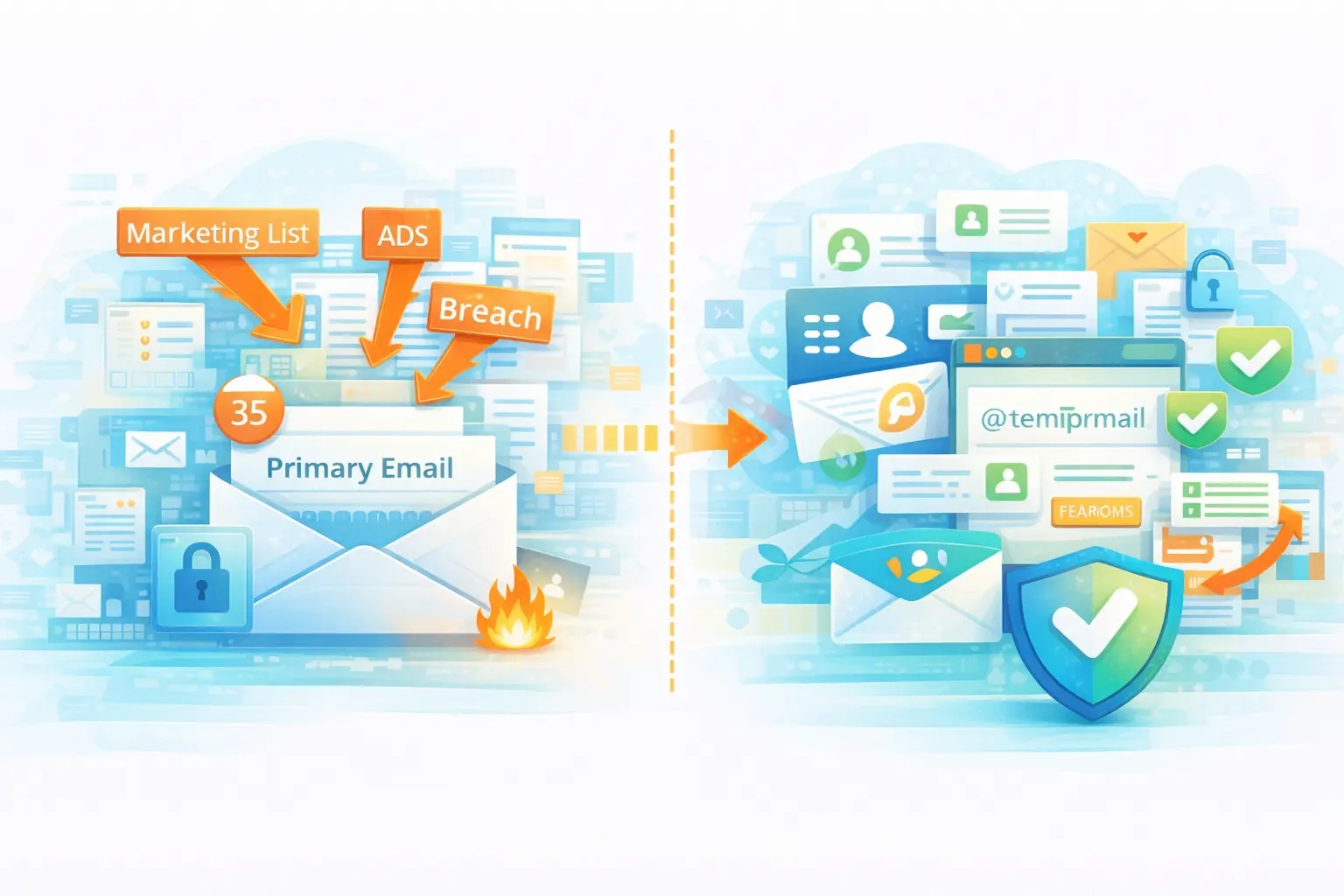
Think of disposable email like a firewall for your inbox
A disposable email address is intentionally separated from your primary inbox. If that address gets shared, leaked, or added to lists, the damage stays contained.
Instead of giving your main email everywhere, you use:
- Primary email for banking, work, important accounts
- Disposable email for one-off signups, freebies, unknown sites, and anything “low trust”
That separation is the whole win.
Why this works in the real world
When marketers or attackers get an email address, they typically try to:
- Send ongoing sequences (newsletters, promos)
- Test for deliverability and engagement
- Pair the address with other signals (name, location, shopping behavior)
Disposable email cuts off that long-term pathway. You can receive your confirmation email, finish the action, then walk away.
Bonus benefit: easier spam hygiene
If you keep one inbox for “real life” and one for “internet signups,” your primary inbox stays clean—so it’s easier to detect suspicious messages.
Google recommends using built-in tools like reporting spam, blocking senders, and unsubscribing when needed. Disposable email complements those tools by preventing many spam relationships from starting in the first place.
Gmail: avoid & report phishing emails
3) Using a Temp Inbox for Forums, Giveaways, and Lead Forms
Here are the best real-life use cases where disposable email shines.
A) Forums, communities, and comments
Forums can be great—but they’re often targets for scraping, marketing offers, and “partner” emails. Use a temp inbox when:
- You only need to verify an account
- You’re trying a community for the first time
- You don’t want your identity linked to a long-term mailing list
Pro move: Use disposable email for the forum account only if you don’t need long-term password resets for that account. (More on that in best practices.)
B) Giveaways, coupons, and “download the PDF” offers
Giveaways and lead magnets often come with heavy follow-up sequences. That’s not automatically bad—but if you’re just trying to:
- grab a coupon once
- access a checklist
- download a template
…then a temp mail address prevents your primary inbox from becoming a marketing battleground.
C) Lead forms and “request a quote” on unfamiliar sites
Sometimes you need to contact a vendor once. But after that, you don’t want weekly “Did you see our offer?” emails.
A temp inbox is perfect for:
- one-time quote requests
- contacting a service provider you don’t know yet
- testing how a company follows up
D) Testing your own marketing flows
If you run a business, temp inboxes are great for QA:
- sign up for your own newsletter
- test confirmations and onboarding sequences
- check formatting across devices
- verify that unsubscribe works properly
If you do email marketing, it’s worth knowing the compliance basics too. The FTC’s CAN-SPAM guidance covers core requirements like truthful header info, identifying ads, including a physical address, and providing a clear opt-out.
4) Best Practices to Stay Protected Long-Term
Disposable email is powerful—but only if you use it correctly. Here are the rules that keep you safe.
1) Don’t use disposable email for critical accounts
Anything tied to identity, money, or long-term access should use a real address you control:
- banking, payments
- government services
- business tools you’ll keep
- password managers, cloud storage
- anything that might require recovery emails or 2FA
Many temp inbox services are not designed for long-term ownership, and some guides warn about risks like losing account access when an address expires.
2) Avoid using temp inboxes for sensitive information
Treat temp inboxes as low-security by default. If you’re receiving something confidential (contracts, ID documents, private invoices), don’t use disposable email. Also be aware: some temporary inbox systems may be public, guessable, or not intended for private long-term storage.
3) Pair disposable email with good spam/phishing habits
Disposable email helps with spam volume—but phishing can still target you anywhere. Use basic defenses:
- Don’t click unexpected links
- Verify sender domains
- Use 2FA/passkeys on important accounts
- Report suspicious messages
Google’s Gmail guidance also covers reporting spam/phishing and blocking senders.
4) Use a “trust tier” approach
A simple system:
- Tier 1 (High trust): main email (work, finance, critical logins)
- Tier 2 (Medium trust): alias email (newsletter subscriptions you actually want)
- Tier 3 (Low trust): disposable email (unknown sites, giveaways, quick downloads)
This way you’re not “all in” on temp mail—you’re using it strategically.
5) Keep your disposable addresses organized (even minimally)
If you use temp inboxes often, it helps to track:
- which address you used for what
- whether you need access again
- whether you received a confirmation link
For business users, this saves headaches and prevents “where did I sign up?” confusion.
6) When disposable email is NOT the best tool
Use something else when:
- you need a long-term relationship with the service
- you may need password resets later
- you must receive receipts, invoices, or security alerts
- the service blocks disposable domains (common on SaaS)
In those cases, an email alias or separate secondary inbox can be the better choice.
Quick Recap: The Practical Rule
If you only remember one thing, make it this:
Use disposable email for anything “one-and-done” or low trust—because spam often starts with one registration, and your primary inbox is too valuable to hand out everywhere.
If you’re building a cleaner inbox system, the combo that works best is:
- disposable email for risky signups
- strong spam controls in your email client
- good account security habits (especially for your primary address)
Resources
Reputable sources you can link in a “Resources” section: