How Temporary Email Helps Reduce the Risk of Phishing
A Practical Temp Mail & Best Temp Mail Guide
Phishing isn’t “just spam.” It’s a business model built on attention, urgency, and trust. Attackers don’t need to break into your laptop if they can convince you to hand them the keys. The most common delivery channel for that trick is still email—because email sits at the center of almost everything we do online: logins, password resets, invoices, cloud tools, social media, and business workflows.
That’s why one of the simplest, most effective ways to reduce phishing risk isn’t only about better filters or smarter training—it’s about reducing exposure. If your primary email address appears in fewer places, it’s less likely to end up in marketing databases, lead lists, breach dumps, or reseller pipelines that ultimately fuel phishing campaigns.
This is where temp mail (and more broadly, temporary email) becomes a practical security layer. Used correctly, temp mail helps you separate low-trust signups from high-trust accounts, reducing the volume of random messages hitting your main inbox and making suspicious emails easier to spot. The goal isn’t to be paranoid. The goal is to be intentional about where your real address goes.
In this guide, we’ll cover:
- How phishing campaigns target email lists
- How temp mail cuts exposure to random promotions and shady newsletters
- How to spot suspicious emails inside any inbox (including a temp inbox)
- Simple rules to avoid click-first mistakes
Throughout, we’ll focus heavily on the keywords temp mail and best temp mail—because people searching those terms are often trying to solve the same real problem: “How do I stop my inbox from turning into a risk zone?”
1) How Phishing Campaigns Target Email Lists
Most phishing doesn’t start with a genius hacker typing commands in a dark room. It starts with distribution. Attackers need reach, and email lists provide that reach. Government and major security organizations consistently describe phishing as attempts to trick people into opening malicious links/attachments or handing over sensitive information.
The “list economy” behind phishing
Email addresses are valuable because they’re stable identifiers. Phone numbers change. Cookies get deleted. But email often lasts for years. That stability creates an economy where addresses move through multiple layers:
- A website collects emails for marketing
- A vendor processes the email list
- A “partner” gets access
- A breach or leak exposes the database
- Lists get traded, resold, or scraped into larger collections
- Attackers use those collections for phishing blasts or targeted spear-phishing
Even when a company has good intentions, the reality is that data spreads. The more often you use your primary address, the more places it can end up over time.
Why “just one registration” can turn into years of exposure
People often say, “I only used my email once.” But that “once” might have been enough to:
- add the address to a marketing CRM,
- trigger an automation sequence,
- share the address with an email delivery provider,
- store it in analytics and support tools, and
- keep it in backups even after you unsubscribe.
Phishing thrives on that long tail. A list from two years ago can still be used today.
How temp mail reduces list exposure
Here’s the key security idea:
- If you use temp mail for low-trust signups, the address that gets collected—and potentially leaked—doesn’t point back to your primary identity.
So when you later receive a phishing email in your primary inbox, there’s a higher chance it came from a place that truly matters (a core account), not from a random giveaway entry you forgot about. That clarity matters because phishing succeeds when the victim is overwhelmed and uncertain.
The psychology attackers exploit
CISA warns that phishing often tries to get you to open harmful attachments or share personal info, and highlights resisting the urge to click on suspicious links or attachments.
Attackers know that people click when they feel:
- urgency (“your account will be closed”)
- fear (“unusual login attempt”)
- reward (“you won”)
- shame (“your payment failed”)
- curiosity (“see the document”)
A cluttered inbox increases the chance you react emotionally instead of thoughtfully. That’s one reason best temp mail isn’t only about convenience—it’s about reducing mental overload.
2) Cutting Exposure to Random Promotions and Shady Newsletters
A surprising amount of phishing success comes from one thing: noise.
When your inbox is filled with random promotions, aggressive newsletters, and “partner offers,” you lose the clean signal that helps you notice danger. Even legitimate marketing can create the conditions phishing needs: distraction, fatigue, and automatic behavior.
Why inbox noise makes phishing harder to detect
Imagine two people:
- Person A receives 8 emails per day, mostly relevant.
- Person B receives 80 emails per day, mostly promotions.
Who is more likely to click a convincing “security alert” without thinking? Person B, because the inbox is a firehose. The attacker’s email blends into the background.
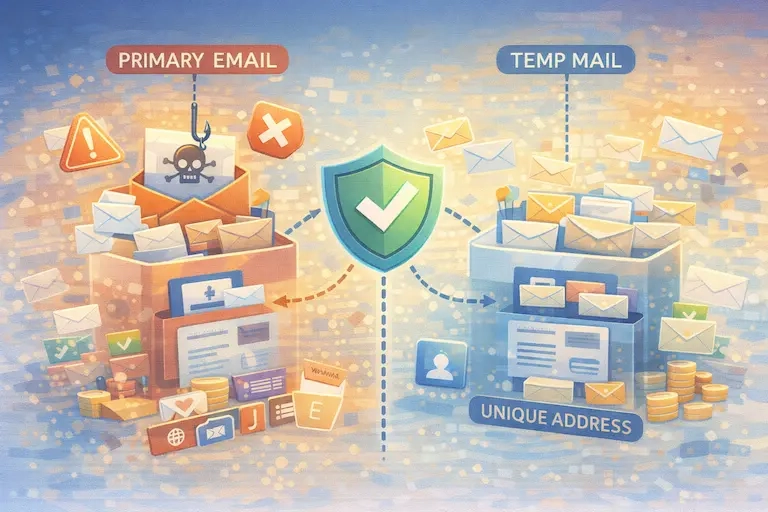
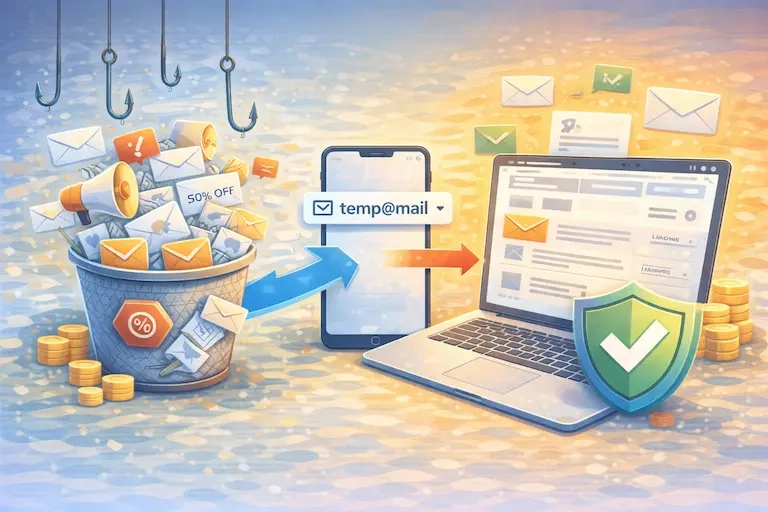
This is where temp mail helps in a very practical way. When you use temp mail for low-trust registrations, you’re essentially building a “buffer zone.” The marketing noise goes there—not to the inbox that holds your banking alerts, password reset links, and business communications.
The “separation principle”: one inbox should not do everything
If you want to reduce phishing risk, treat your email addresses like security zones:
- High-trust zone: critical accounts, financial, work, long-term logins
- Medium-trust zone: newsletters you actually want, long-term community accounts
- Low-trust zone: one-time downloads, giveaways, random forums, unfamiliar sites
Temp mail is the low-trust zone.
And “best temp mail” is simply the service or workflow that makes that low-trust zone fast and repeatable, so you actually use it consistently.
What “best temp mail” means in security terms
People use “best temp mail” like a shopping phrase, but the security meaning is more specific:
- It’s quick enough that you’ll actually use it
- It doesn’t add friction to signups
- It keeps throwaway signups away from your primary inbox
- It reduces the chance your real address ends up in unknown databases
The win is not just fewer spam emails. The win is fewer opportunities for phishing emails to land where you’re most vulnerable—your real identity inbox.
A practical example: low-trust signups that often create long-term exposure
A lot of people hand out their main email for things like:
- discount popups
- “download the PDF” forms
- webinar registrations
- comment systems
- niche tools they’ll use once
- giveaways
Those are exactly the places where you don’t want your long-term identity address living forever. Use temp mail for those, and your primary inbox stays cleaner and safer.
Reporting and filters still matter—but temp mail changes the baseline
Google’s Gmail help page explains how to report phishing directly in Gmail, which improves filtering and removes suspicious messages.
Microsoft also provides reporting paths in Outlook and Outlook.com and emphasizes reporting phishing to improve protections.
Those tools are great. But the strongest strategy combines two ideas:
- Reduce exposure with temp mail
- Improve detection with good reporting and habits
Temp mail doesn’t replace filters. It makes filters easier to rely on by cutting the volume of junk that gets through.
3) Spotting Suspicious Emails Inside Any Inbox
A common misconception is: “If I use temp mail, I’m safe.” That’s not true. Temp mail reduces the odds of exposure, but phishing can still appear anywhere—including in a temporary inbox. So you need a consistent way to judge messages, regardless of where you receive them.
The FTC describes phishing as messages that try to trick you into giving personal or financial information, and it emphasizes how to recognize and report it.
NIST also provides phishing guidance for small businesses, reinforcing that phishing is a broad threat category and not limited to one style of message.
The “pause test”: the fastest anti-phishing habit
Before you click anything, ask one question:
- “What is this email trying to make me do right now?”
Phishing messages almost always push you toward an action that benefits the attacker:
- “Log in here”
- “Confirm your password”
- “Download this file”
- “Pay this invoice”
- “Verify your account immediately”
Legitimate companies can ask for actions too, of course. The difference is that legitimate actions usually match something you initiated (like a password reset you requested). Phishing actions often come out of nowhere and carry urgency.
Domain and link reality checks (without obsessing)
You don’t need to be a security engineer to do a quick check:
- If the email claims to be from a major brand, does the sender domain look correct?
- If you hover over a link, does it clearly go to the real domain?
- Is the email forcing you to act fast?
Microsoft highlights “urgent calls to action” and other red flags in phishing detection guidance.
Why temp mail can make suspicious emails more obvious
Here’s an underrated benefit:
- When your primary inbox is reserved mostly for accounts you care about, any unexpected “security alert” stands out more.
You’re more likely to remember whether you actually did the thing the email claims you did.
In other words, temp mail helps you maintain a clean mental map of your real inbox. And a clean mental map makes phishing harder to pull off.
Attachments: treat them as “guilty until proven innocent”
CISA repeatedly advises caution with attachments and links in phishing contexts, and emphasizes recognizing phishing attempts and avoiding harmful clicks.
Even if an attachment looks like “invoice.pdf,” the safe move is to verify via official channels, not the email itself.
What to do when you’re not sure
When in doubt, do not click. Instead:
- open a browser and manually type the known official site, or
- open the official app you already use, or
- contact support through verified contact details (not the email)
That one habit defeats a large share of phishing attempts.
Google Safe Browsing also describes how it warns users about dangerous sites and downloads across billions of devices—another reminder that the web is actively hostile sometimes, and warnings should be taken seriously.
Temp mail isn’t only defensive—it’s diagnostic
If you consistently use temp mail for low-trust signups, you can learn a lot:
- Which types of sites trigger spammy follow-ups?
- Which signups result in sudden “partner offers”?
- Which sources start sending suspicious messages?
That feedback loop helps you adjust behavior over time. Your temp inbox becomes a “quarantine zone” that reveals risk without exposing your main inbox.
4) Simple Rules to Avoid “Click-First” Mistakes
Now let’s turn all of this into behavior that actually holds up in real life. These rules are intentionally simple and repeatable. We’ll keep lists short and explain them in context.
Rule 1: Don’t make security decisions inside the email
If the email says “your account is locked,” don’t handle it by clicking the included link. Instead, go to the official site or app through your normal route. This aligns with the core guidance from major security organizations: resist the urge to click unknown links and verify through trusted paths.
Rule 2: Treat urgency as a red flag, not a priority
Phishing loves urgency. If you feel pressured, slow down. The pressure is part of the trap.
Rule 3: Use temp mail for low-trust signups so your main inbox stays “high signal”
This is where temp mail becomes a daily habit, not a one-off trick. Every time you avoid giving your primary email to a low-trust site, you reduce the future flow of random messages that make phishing harder to detect.
If you’re trying to rank for “best temp mail,” the message to users should be practical: best temp mail is the temp mail workflow you can stick to consistently—because consistency is what reduces exposure.
Rule 4: Don’t let “unsubscribing” become a phishing action
A lot of people click unsubscribe links in questionable emails. For legitimate newsletters, unsubscribe is fine. For suspicious emails, clicking anything can confirm you’re a real target. This is one reason inbox separation matters—if you used temp mail for low-trust signups, you don’t need to play unsubscribe games in your main inbox as often.
Rule 5: Report phishing when you see it
Reporting improves protections for everyone, and multiple trusted organizations provide clear reporting paths:
- Gmail: report phishing directly in the Gmail UI.
- Outlook: report phishing through the built-in reporting flows.
- FTC: report phishing and scams; their consumer guidance includes reporting steps.
- APWG: forward phishing emails to [email protected] for analysis.
Rule 6: Build a “two-email habit” (minimum viable setup)
If you don’t want complexity, do this:
- One email you protect fiercely (primary)
- Temp mail for throwaway signups
That alone reduces exposure dramatically. If you want a “best temp mail” approach for a broader audience, this is usually the simplest positioning: keep your real inbox clean; use temp mail for everything else.
Where Temp Mail Helps Most (and Where It Doesn’t)
Temp mail is powerful when the signup is low-trust or low-value. It’s a mistake when recovery matters.
Use temp mail and best temp mail workflows for:
- giveaways, promo downloads, “unlock content” forms
- forums you’re testing
- one-time tool trials where you don’t care about long-term access
- signups on unfamiliar sites
Avoid temp mail for:
- banking, finance, health services
- primary social accounts
- anything you might need to recover months later
- paid accounts where receipts and support matter
This isn’t about fear. It’s about matching the tool to the risk.
Putting It Together: Why Temp Mail Reduces Phishing Risk (The Real Explanation)
Let’s connect the dots without marketing fluff.
Phishing success depends on volume and confusion. Attackers win when:
- they can reach you easily (your email is widely distributed), and
- they can blend into your inbox noise (you’re overwhelmed).
Temp mail attacks both conditions:
- Less distribution: Your primary email appears in fewer databases, so it gets fewer random messages later.
- Less noise: Your real inbox stays cleaner, so suspicious messages stand out more.
- Less identity linkage: If a low-trust site leaks addresses, it’s your temp mail identity—not your core identity.
- Better habits: Using temp mail trains you to think “trust tier” before sharing contact info, which is the same mental model that helps you resist phishing.
That’s why a “best temp mail” strategy is not a gimmick. It’s a small behavior change that improves security outcomes over time.
Resources (External Links You Can Add to Your Article)
Below is a clean list of reputable resources. You can link these in your “Resources” section exactly as written:
CISA — Recognize and Report Phishing
Google — Gmail Help: Avoid & Report Phishing Emails
FTC — How to Recognize and Avoid Phishing Scams
Microsoft Support — Protect Yourself from Phishing
NIST — Phishing (Small Business Cyber Guidance)