
Disposable Email Addresses: Top 12 Use Cases in 2026
Clean sign-ups, less spam, better privacy—with temp mail (used the right way)
A disposable email address (often called temp mail, temp email, or temporary email) is a short-lived inbox you can use when you don’t want your primary email tied to a signup, a download, or a public interaction. The concept is simple: you get an address, receive the verification message, do what you came to do, and move on without turning your real inbox into a permanent dumping ground.
In 2026, disposable email isn’t just a “privacy trick.” It’s a practical tool for everyday web use and even for professional workflows like QA and product testing. But it’s not a magic shield: if you use temp mail for accounts you need long-term (social, banking, paid subscriptions, anything you might need to recover), you can lose access later.
This guide covers 12 high-value, real-world use cases, including the four you listed, plus best practices so your use of temporary email stays clean, fast, and repeatable.
Before the 12 use cases: when temp mail is smart vs risky
A fast rule you can apply in 10 seconds:
Use temp email when the value is short-term and the trust level is uncertain (a download, a coupon, a trial you may never keep).
Avoid temp mail when you need account recovery, continuity, billing history, or identity stability.
Security testing guidance from OWASP reinforces why email matters: registration and password reset processes must be tested carefully because they’re part of account identity and recovery.
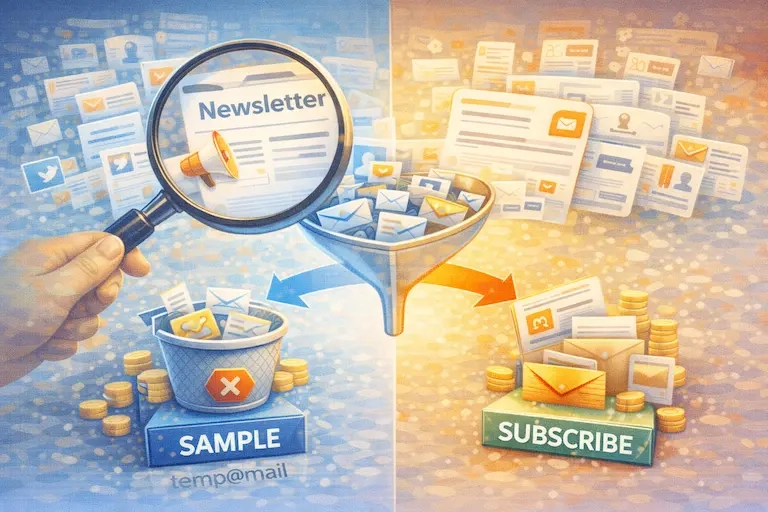
Top 12 Use Cases for disposable email addresses in 2026
1) One-time downloads, coupons, and gated content
This is the classic use case, and still one of the best. Many websites require an email just to download a PDF, get a template, access a “free guide,” or unlock a coupon. Often, the “real” trade is your email being added to a marketing sequence.
Using temp mail here gives you access without permanently subscribing your primary address to follow-ups you didn’t ask for. It also reduces the long-tail risk of your email being stored in multiple tools (CRM, email provider, marketing automation) for years.
Where to link inside your article:
“Temporary email / disposable email definition” — https://temp-mail.org/en/
2) Account creation for trials and demos
Free trials and demo environments are often “try once” experiences. If you’re evaluating tools quickly, especially multiple competing products, your inbox can get hammered with onboarding drips, sales follow-ups, and “book a call” sequences.
Using temp email for short demos helps keep the evaluation process clean. It’s also common in demo environments where teams intentionally support disposable emails for frictionless product evaluation.
Important boundary: If you’re starting a trial you might convert to a paid account, switch from temp mail to a real address early, before your billing, receipts, and recovery become important.
Where to link:
“Disposable emails for demos” — https://dev.to/kornatzky/using-disposable-emails-for-a-demo-130m
3) Community forums and public comment sections
Forums, Q&A sites, blog comments, and community platforms can expose your email to long-term noise: notification storms, moderation pings, “someone replied,” and occasionally spam if a platform’s community gets abused.
Temp mail is useful when:
you’re asking one question and leaving,
you’re joining a community you don’t trust yet,
you don’t want your main inbox tied to a public profile.
But for “real communities” you’ll use long-term, prefer an alias or dedicated secondary email so you don’t lose access later.
4) Testing tools, integrations, and onboarding flows (QA / Product / Dev)
This is one of the biggest “professional” use cases in 2026.
Teams test:
- signup and verification emails
- password reset flows
- welcome/onboarding sequences
- email-based login / magic links
- CRM and marketing automation triggers
OWASP explicitly highlights the importance of testing registration processes and password reset mechanisms, because weak reset flows can become an easier path to compromise.
Disposable inboxes make testing repeatable: each run starts fresh, without contamination from old messages or reused accounts.
Where to link:
“OWASP password reset testing guidance” — https://owasp.org/www-project-web-security-testing-guide/latest/4-Web_Application_Security_Testing/04-Authentication_Testing/09-Testing_for_Weak_Password_Change_or_Reset_Functionalities
“OWASP test user registration process” — https://owasp.org/www-project-web-security-testing-guide/v41/4-Web_Application_Security_Testing/03-Identity_Management_Testing/02-Test_User_Registration_Process
5) Newsletter sampling (without committing your real inbox)
Newsletters are valuable, until you realize the content isn’t for you, or the cadence is too aggressive. Disposable email lets you “taste test” newsletters without permanently turning your primary inbox into a feed of unsubscribes.
This is especially useful when you’re exploring:
- industry newsletters
- creator newsletters
- deal lists
- product update digests
If you decide it’s worth it, re-subscribe with a real address (or better: a dedicated alias).
6) Price checks and “deal ecosystems”
Some e-commerce sites and coupon aggregators require an email before showing codes, discounts, or price drops. These ecosystems often generate high follow-up volume and partner promos.
Using temp mail lets you access the offer while avoiding being placed into a long sales funnel. If you later become a customer, then you can switch to a stable inbox for receipts and support.
7) Online events, webinars, and virtual conferences
Webinar funnels can create weeks of automated reminders, replays, upsells, partner offers, and “last chance” blasts. If you only want the one event link, temp email is a clean choice.
If it’s a conference you attend yearly (or you need certificates/attendance proof), use a real inbox for continuity.
8) Public Wi-Fi portals and “email to access” networks
Many public networks ask for an email to provide Wi-Fi access or to deliver a login link. That’s a perfect scenario for disposable email because:
the access is short-term,
the trust level is unknown,
you don’t want that venue (or partners) to keep emailing you.
9) App installs, game accounts, or short-term “try it” accounts
Sometimes you want to test an app, a game, or a social feature without attaching your identity. Disposable email is useful for:
- experimenting with UX, features, or settings
- temporary participation (one campaign / one challenge)
- sandbox behavior
But: if the account becomes your main profile, switch to a real email early to avoid recovery problems.
10) Protecting your “primary identity email” from data spread
A simple privacy strategy for 2026: treat your main email like a passport, don’t show it everywhere. The more widely your primary address is used, the more likely it shows up across marketing systems and eventually breach lists.
Temporary email acts like a buffer for low-trust sites, while your primary inbox stays reserved for high-trust accounts and critical messages.
Google’s safety guidance emphasizes staying safer online and avoiding scam patterns; reducing unnecessary exposure is a practical part of that mindset.
Where to link:
“Google security tips” — https://safety.google/intl/en_us/safety/security-tips/
11) Email deliverability checks for marketing teams (receive-side testing)
If you run email campaigns (marketing, product updates, transactional email), you often need to test:
- whether messages land in inbox vs spam,
- whether formatting renders correctly,
- whether unsubscribe and preference links work,
- whether automation triggers behave correctly.
A disposable inbox can be useful for quick checks, especially when you need multiple test recipients without setting up a dozen real accounts.
On the sending side, Google’s sender guidelines (for organizations using Google Workspace) are widely referenced in deliverability discussions, including unsubscribe expectations and list hygiene.
Where to link:
“Google email sender guidelines” — https://support.google.com/a/answer/14229414?hl=en
12) “Low-trust” websites: access the service while sharing less
Sometimes you just don’t trust a site yet, maybe it looks outdated, the privacy policy is unclear, or the page is packed with aggressive popups. For low-trust websites, temp mail gives you a safer way to access what you need without handing over your long-term identity handle.
This is the use case that quietly connects most of the others: temp mail is a privacy and risk-reduction tool for low-trust moments.
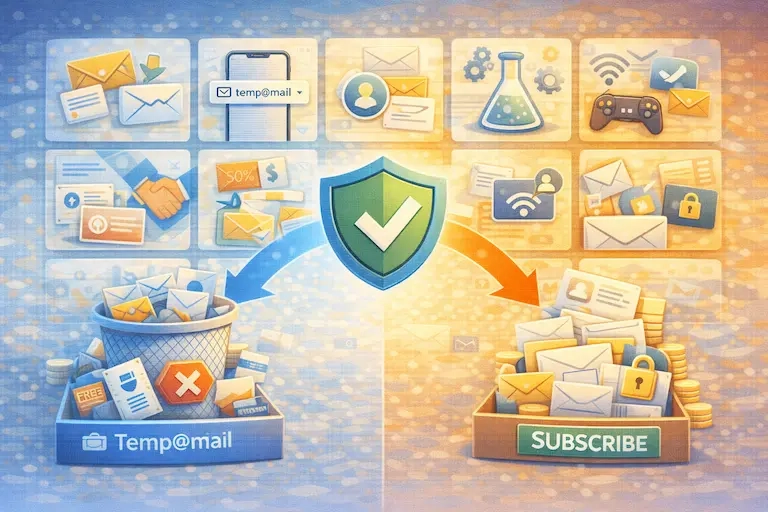
Best Practices for Using Temp Mail Without Regret
Instead of a long checklist, here’s the simplest framework that prevents 90% of mistakes:
Use best temp mail when the account can be lost
If losing access would not matter tomorrow, next week, or next month, temp mail is usually fine.
Don’t use temp mail when recovery matters
If the platform might require password reset, verification, or identity checks later, your “email you can access again” is part of account security. OWASP calls out password reset as a critical security pathway.
Separate “throwaway” from “main”
Many people accidentally turn a throwaway account into a main account. If you ever feel the account is becoming important (content, followers, purchases, business profile, subscriptions), migrate to a stable email early.
Keep your intent aligned with terms and ethics
Disposable email is not for fraud, evasion, or bypassing platform rules. Use it for privacy, inbox hygiene, and testing, not to break policies.
Conclusion
Disposable email addresses remain one of the most practical tools in 2026 for reducing inbox clutter and limiting exposure, especially in low-trust online moments. The key is using temp mail intentionally:
Great for one-time access, trials, forums, and QA testing
Risky for accounts that need long-term recovery and continuity
If you follow that principle, temp mail becomes a clean, fast, repeatable part of your digital life, and a topic that can absolutely rank when you structure content around real use cases and clear boundaries.
Resources (add this at the end of your article)
Here are reputable references you can cite/link as your external resources:
OWASP Web Security Testing Guide — Password Reset Testing
OWASP Web Security Testing Guide — Test User Registration Process
Google Safety Center — Security Tips
Google Workspace Admin Help — Email Sender Guidelines FAQ
Temp-Mail.org — Disposable email definition and overview
Example: Disposable emails in demo environments (practical dev perspective)