
Why Some Sites Block Temporary Email
Temporary email (often called temp mail, temp email, or disposable email) is one of the simplest ways to reduce inbox clutter and limit how widely your real address gets shared. It’s great for one-time downloads, quick sign-ups, trying a product demo, or joining a community that you’re not sure you’ll stick with.
But sooner or later, you’ll hit the wall: a site refuses your temp mail address with messages like “email domain not allowed,” “invalid email,” or “please use a real email address.”
That doesn’t automatically mean you’re doing something wrong. In many cases, it’s simply the website protecting itself from abuse. The key is understanding why they block temporary email, what patterns trigger the block, and the legit ways to proceed—without getting stuck or wasting time.
1) Anti-abuse systems: bots, fraud, and throwaway accounts
Websites don’t block temporary email because they “hate privacy.” Most of the time they do it because email is a core identity signal—and throwaway accounts create real problems:
Bots and automated account creation
A huge chunk of sign-ups on the internet are not humans. They’re automated scripts creating accounts to:
- spam comment sections
- abuse free trials
- scrape content behind login walls
- brute-force referrals/coupons
- run credential stuffing or account takeover attempts later
- distort analytics and ad attribution
Security teams treat automated sign-up abuse as a known category of threats. OWASP even documents automated account creation as a recognized automated threat pattern.
Fraud and incentive abuse
If a product offers any “value on sign-up” (free credits, discounts, trial access), it becomes a target. Fraud teams track signals that correlate with abuse—disposable domains are one of the easiest signals to filter quickly.
Deliverability and list quality
From a marketing and customer success perspective, temporary email can lead to:
- low deliverability and poor engagement
- inflated subscriber counts that aren’t real customers
- reduced campaign performance and sender reputation
Some companies block disposable email mainly to protect their email program—not just security.
Anti-bot tooling often sits behind the scenes
Many sites use tools like bot management systems and fraud detection to detect suspicious sign-ups at scale.
They also use bot protection like reCAPTCHA to score or challenge suspicious form submissions.
So when your temp email is rejected, it may not even be a “temp mail block” specifically. It might be part of a larger risk decision that includes device signals, velocity, IP reputation, and sign-up patterns.
2) Common patterns that trigger email domain blocks
It’s not always the fact that you used a temp mail address—it’s how the signup looks overall. Here are the most common triggers.
1) The domain is on a known disposable list
Many sites use internal lists or third-party datasets of disposable email domains. If the domain is in that list, you’ll be blocked immediately—even if you’re a legitimate user.
2) High-risk sign-up velocity
If you create multiple accounts quickly (even unintentionally), systems may flag you. Examples:
- multiple sign-ups from the same device
- multiple sign-ups from the same IP range
- repeated form submissions within seconds
- identical user-agent / browser fingerprint patterns
This is especially common when you’re testing a product or running QA flows—developers and testers hit these limits constantly.
3) Shared/public inbox providers
Some temp email services are effectively “public inboxes” where anyone can guess the address and read messages. A site that cares about account security won’t want password resets or verification links going to a mailbox that others might access.
4) Email verification loops and bounce risk
If a website is strict about deliverability, it may avoid domains with high bounce rates or low inbox placement. That can include many disposable providers.
5) “Too many accounts, too few signals”
A sign-up with minimal profile info, no history, and a disposable domain looks like a bot. Even if you’re real, you match a typical abuse pattern.
6) Access to high-value actions
Some platforms allow temp mail for basic browsing, but block it for actions like:
- payments
- marketplace listings
- API keys
- integrations
- community posting
- any workflow that creates moderation burden
This explains why some sign-ups succeed but you later get blocked or forced to “upgrade” your email.
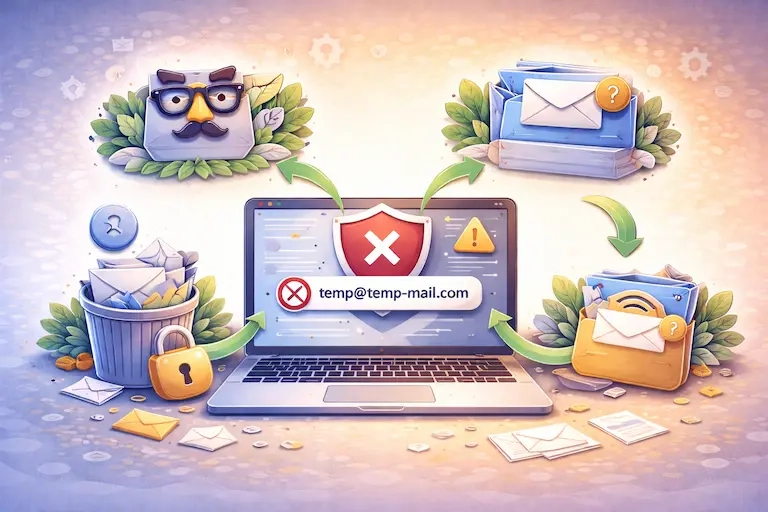
3) Legit ways to proceed when a temp email is rejected
This is the part that saves you time. If the site blocks your temp mail, you have several ethical, practical choices depending on your goal.
Option A: Use a different temporary email provider (within reason)
Sometimes one provider is blocked and another isn’t. If your goal is low-risk, low-trust access (download, read-only access, one-time trial exploration), switching temporary email providers can be enough.
But: if the platform is clearly trying to restrict disposable accounts, repeatedly “shopping” providers can waste your time—and if you need long-term access, you’ll end up switching anyway.
Option B: Use a masked email service (privacy-friendly, still “real”)
This is one of the best middle-ground solutions for many users.
A masked email address forwards messages to your real inbox while keeping your actual address private. Many sites accept these because they behave like normal email deliverability, and you can keep access long-term.
Examples include:
- Apple’s Hide My Email (iCloud+)
- Firefox Relay
- Fastmail masked email
This approach often passes “disposable email domain” filters because the domain reputation and deliverability are more stable than random temp mail domains.
Option C: Use a secondary inbox (a “real” email just for sign-ups)
If you regularly sign up for tools, communities, trials, and services, a secondary email is a clean long-term system:
- Your main inbox stays personal/professional: clients, banking, important accounts
- Your secondary inbox handles sign-ups, newsletters, experiments, and “maybe” platforms
- You can still recover accounts when needed
This is the most reliable fix when a site blocks temp mail but you still want to protect your primary email.
Option D: Use an alias (when supported) for “trusted” providers
Some email providers support aliases or plus addressing.
For example, with some services you can use:
- [email protected] (plus addressing)
- or true aliases like [email protected]
This helps you:
- track who leaked/sold your address
- filter and auto-label incoming mail
- disable an alias if it’s abused
However, note that some sites remove the +tag part automatically, and some block plus addressing. So this isn’t universal—but it’s a solid tactic when it works.
Option E: Accept that this is a “high-trust” signup and use your real email
If the service involves:
- payments or invoices
- account recovery you care about
- long-term continuity
- sensitive data
- a platform where reputation matters (social, marketplace, professional network)
…then a temporary inbox isn’t worth the risk. Use a real email (or a masked/secondary email) so you don’t lose access later.
That’s not “defeating the purpose.” It’s matching the email choice to the risk level.
4) When to use an alias, secondary inbox, or real email
Here’s a simple way to decide in under 60 seconds.
Use temporary email (temp mail / temp email) when…
Choose disposable email when the outcome is low-risk:
- one-time downloads and gated PDFs
- reading-only access
- quick trials you might not keep
- joining a forum you don’t fully trust yet
- testing UI flows that don’t require persistent ownership
This is where temp mail shines: speed, low commitment, and reduced exposure.
Use a masked email when…
You want privacy and continuity:
- SaaS trials you might convert to paid
- communities you want to revisit
- newsletters where you want control
- lead forms that you suspect may resell date
Masked email gives you “share less” behavior while preserving recovery.
Use a secondary inbox when…
You need long-term access but want separation:
- tool stacks and integrations
- business directories
- vendor portals
- support accounts
- educational platforms
A secondary inbox is basically “structured risk management for your identity.”
Use your real email when…
It’s high-value, high-trust, and recoverability matters:
- banking, payments, and billing
- healthcare, legal, government services
- your main social or professional accounts
- anything you’d be upset to lose
Bonus: How sites detect disposable email domains (so you can predict blocks)
It helps to understand the typical mechanics, because then you can predict whether a site will accept temp mail before you waste time filling out forms.
Most domain checks fall into a few buckets:
- Static denylist: if domain is on a list → block
- Risk scoring: disposable email is one signal among many (IP, device, velocity)
- Verification quality rules: if deliverability is unreliable → block
- Category rules: allow for free content, block for posting/payment/API access
Tools like bot protection and fraud detection are often integrated into the same decision pipeline.
So your “temp mail blocked” event may be the final output of a broader anti-abuse system, not a single simple rule.
Common mistakes people make when temp mail gets rejected
A lot of frustration comes from choosing the wrong strategy for the wrong scenario.
Mistake 1: Trying to use temp mail for accounts that require recovery
If you might need to reset passwords, respond to support, or keep access for months—don’t use a throwaway inbox.
Mistake 2: Repeating sign-up attempts rapidly
Even if you’re a human, rapid retries look automated. Slow down, use a fresh browser session, or wait a few minutes. Rate limiting isn’t personal—it’s math.
Mistake 3: Treating domain blocks as a “challenge to beat”
If the platform explicitly wants persistent identity (to reduce spam, fraud, or moderation load), the fastest route is using a masked email or secondary inbox—not cycling through disposable domains.
Mistake 4: Using public/guessable inbox patterns
Some temp mail services generate predictable addresses. That’s risky for verification links and resets.
Practical takeaway
Websites block temporary email mainly because disposable domains correlate with automated abuse, fraud, and low-quality sign-ups.
But you still have options—and you don’t have to jump straight from “temp mail” to “share my real inbox everywhere.”
A clean decision framework looks like this:
- Low-trust / low-risk → temp mail
- Medium-trust / medium-risk → masked email (privacy + recovery)
- Ongoing tools / organized identity → secondary inbox
- High-value accounts → real email
That’s the simplest way to protect your inbox and keep access when it matters.