
Temporary Email for Social Media Sign-Ups: What to Know First
Using temporary email (aka temp email, temp mail, or disposable email) for social media sign-ups sounds like the perfect hack: create an account quickly, avoid inbox clutter, reduce tracking, and keep your real address out of marketing databases.
And for some cases—especially throwaway accounts—it can be a smart privacy move.
But social platforms aren’t like random forums or one-off download sites. They’re high-abuse targets (spam, bots, scams), so they enforce stronger identity, verification, and recovery systems. That means if you use temp mail incorrectly, you can end up with the worst outcome: you get in today, and then lose the account tomorrow because you can’t pass verification, can’t recover access, or your email domain gets rejected.
This guide gives you a practical, honest framework:
- Platform verification and domain restrictions
- Account recovery risks you should not ignore
- Safer alternatives for long-term accounts
- Best approach for throwaway vs main profiles
Throughout this article, the primary SEO keywords are used naturally: temporary email, temp email, temp mail, disposable email.
1) Platform Verification and Domain Restrictions
Why social platforms care more than other sites
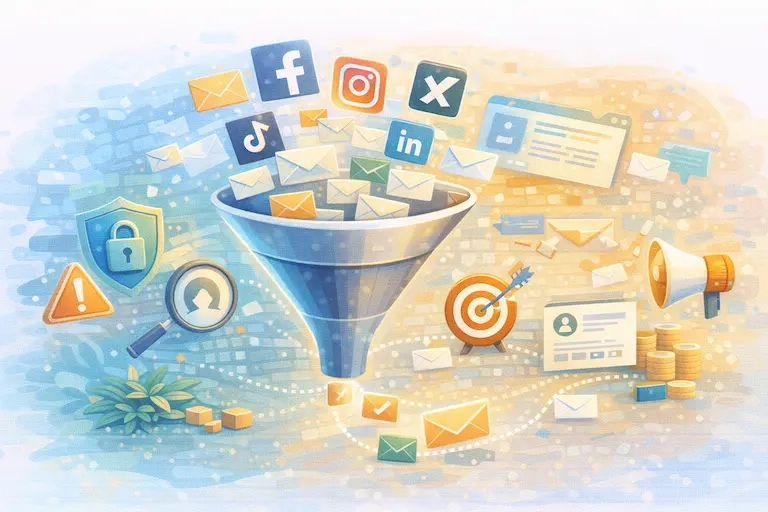
Social media platforms deal with:
- automated spam networks
- fake account farms
- phishing campaigns
- coordinated abuse
- bot-driven engagement manipulation
So they’re constantly tightening verification and “trust scoring.” Verification isn’t only about “confirm your email.” It can also include:
- phone verification
- device fingerprint / location signals
- rate limits (how fast you create accounts)
- domain reputation checks (does this email domain look disposable?)
- behavior checks (are you acting like a real human?)
That’s why a temp email strategy that works on a normal website may fail on social networks.
What “domain restrictions” usually means in practice
Many platforms and SaaS systems maintain internal lists / heuristics to detect:
- disposable email domains
- blocked or forbidden domains
- domains associated with abuse or low deliverability
Email/marketing providers publicly document categories like “blocked / forbidden / disposable domains,” and the general concept is that disposable domains are treated differently because they’re commonly used for short-term signups.
You don’t need to know the exact domain list. What matters is understanding the outcomes:
Common outcome A: The platform rejects the domain at signup
You type a temp mail address and get an error like:
- “Please enter a valid email”
- “This email domain is not supported”
- “Try a different email”
Common outcome B: Signup works, but verification email never arrives
Even if the platform accepts the email field, delivery might fail (or be filtered) because disposable domains can have deliverability issues or restrictions.
Common outcome C: Account works initially, then triggers “security check” later
Some platforms allow signup but later require:
- email re-verification
- phone verification
- identity confirmation
- additional steps if your behavior looks unusual
X (Twitter) documents scenarios where accounts can be locked out or restricted after too many attempts or suspicious activity, requiring extra steps to regain access.
Verification rules you should expect
Across major social apps, email verification is common, and updating / verifying contact info is part of account safety and management.
For example:
- TikTok describes adding an email address and verifying it via a code sent to the email.
- Instagram provides help documentation around account requirements and identity-related processes (especially relevant for public figures or verified badges), which implies the platform cares about authenticity and account completeness.
- Meta provides account recovery and support resources that revolve around having access to your account contact methods.
Translation: social platforms treat email as part of your account identity—not just a login field.
When temp email is more likely to get blocked
Even if a platform doesn’t explicitly say “no temp mail,” disposable domains are more likely to be flagged when:
- you create multiple accounts in a short time
- you use fresh devices/IPs repeatedly
- you immediately post links or spammy content
- you do aggressive follow/unfollow behavior
- you trigger anti-bot checks
So if your use case is “I want to create 20 social accounts fast,” temporary email is not a magic solution—because the platform security model is designed to detect that pattern.
2) Account Recovery Risks You Should Not Ignore
This is the section that saves people from regret.
Temporary email is great for one-time access. Social media accounts are often long-lived identities—even when you don’t intend them to be.
The #1 risk: losing access when you need it most
Account recovery usually relies on:
- the email linked to the account
- the phone number linked to the account
- known devices / trusted sessions
- recovery flows and support processes
If you sign up with a temporary email address and later:
- forget your password
- get locked out
- trigger a security check
- lose your device
- get hacked
…you may not be able to receive the recovery email. That’s game over.
Meta’s Account Recovery / Support Hub exists because recovery is a common need—and it’s built around guiding users back into accounts via supported recovery steps.
TikTok also describes recovery approaches, including recovery pathways that depend on identifiers linked to the account (email/username/phone), and even friend verification in some cases.
The “security lock” moment is where temp email hurts most
Platforms sometimes lock accounts due to:
- too many login attempts
- suspicious activity
- unusual behavior patterns
- new device / new location
X documents temporary lockouts after failed attempts and explains that lockouts can prevent login for a period.
If your account is locked and the platform wants you to confirm via email—your ability to access that mailbox matters.
The silent risk: “continuity”
Even if you never forget your password, long-term accounts often need email access for:
- notifications about policy changes
- alerts about suspicious logins
- content takedowns or appeals
- creator tools / monetization access
- business account changes
- brand partnerships
- ad account alerts
If you used temp email, you might miss the only message that mattered.
Don’t ignore phishin
Social accounts are popular phishing targets. Google explicitly advises users to be cautious with suspicious emails and not click links from untrustworthy sources; Gmail also provides steps to avoid and report phishing.
Temporary email reduces spam exposure, but it doesn’t eliminate risk. A “reset your password” email can be legitimate or malicious—and the more accounts you create, the more attack surface you generate.
3) Safer Alternatives for Long-Term Accounts
If your goal is “share less” without getting locked out later, temp mail is not always the best tool. Here are safer options that still protect privacy.
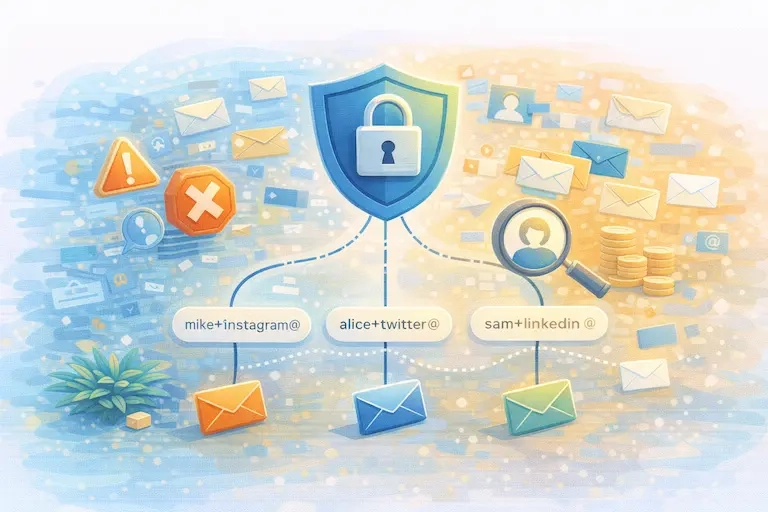
Alternative A: Email aliases (best balance)
Instead of a disposable inbox, use an alias that forwards to your real inbox.
Why it’s better than temp email:
- you can receive recovery emails months later
- you can disable an alias if it starts getting spam
- you can track which site leaked your address (“this alias only used on Instagram”)
- platforms are less likely to block it (it looks like a normal domain)
Common alias patterns:
- plus addressing (where supported): [email protected]
- alias services that generate unique addresses per site
- custom domain catch-all: [email protected] → one inbox
This is the “pro” solution for long-term accounts.
Alternative B: A dedicated secondary permanent inbox
If aliases feel too technical:
- create a second Gmail/Outlook address used only for social accounts
- keep your primary inbox for banking, work, and important accounts
- use filters to keep the social inbox clean
- This massively reduces the damage if a social inbox becomes spammy, while keeping recovery possible.
Alternative C: Accounts Center / platform tools for managing contact info
Meta provides guidance for account recovery and support resources, and there are platform-level ways to manage contact info through their account centers and help flows.
Instagram also provides guidance on updating account information such as email (you typically need to be logged in).
TikTok explains how to add and verify an email using a verification code.
Practical point: social platforms expect your email to be stable enough to verify, update, and recover.
Alternative D: Use phone + email together (only for main accounts)
For a “main profile,” the safest posture is:
permanent email (or alias you control)
phone number as backup recovery method
2FA where available
recovery options configured (trusted devices / backup codes if supported).
If your main account is tied to your business or personal identity, don’t gamble with temp email.
4) Best Approach for Throwaway vs Main Profiles
This is the decision framework you can follow in under a minute.
Define your profile type first
A) Throwaway profile (low-stakes)
Examples:
you want to browse content without using your main identity
you want to test a platform UI
you want a short-lived account for a temporary purpose
you don’t care if the account dies later
Recommended approach:
temporary email / temp mail is acceptable
do not store anything valuable in the account
do not use it for paid services, monetization, brand collaborations
assume you may lose access later
This is where temporary email is a legitimate tool.
B) Main profile (high-stakes)
Examples:
personal account you’ll keep for years
business account or creator profile
account tied to brand reputation
account you’ll use for messaging or community building
account with ads, analytics, or monetization
Recommended approach:
DO NOT use temp email
use a controlled alias or a secondary permanent inbox
add a phone number for recovery if comfortable
enable strong security practices (2FA, device security)
The “60-second choice” checklist
Answer these quickly:
Will I care about this account in 90 days?
Yes → use permanent email/alias
No → temp email is fine
Would it hurt if I lose access?
Yes → permanent email/alias
No → temp mail OK
Could I need password reset or appeal?
Yes → permanent email/alias
No → temp email OK
Is this tied to business/brand identity?
Yes → permanent email/alias
No → temp email possible
Smart hybrid strategy (most people should do this)
Main profile → alias or secondary permanent inbox
Throwaway profile → temporary email
Never mix them
That way:
your brand accounts stay recoverable
your privacy-focused throwaways stay disposable
your primary inbox stays clean
Recommended “Link Targets”
Facebook / Meta Account Recovery & Support Hub
Facebook Help Center: Account Recovery
TikTok: Email and phone number (verification code steps) —
TikTok: Account safety / recovery options
Gmail Help: Avoid & report phishing emails
Google Account Help: Make your account more secure
Instagram Help: Requirements to apply for verified badge
Conclusion
Using temporary email for social media can be smart—only when the account is truly disposable and you accept the risk of losing access later. Social platforms care deeply about verification, abuse prevention, and recoverability, and temp mail often conflicts with those goals.
If you want privacy without regret:
- Use temp email / temp mail for throwaways
- Use aliases or a secondary permanent inbox for anything you might keep
- Never use disposable email for a business or main profile